
How to protect material from analysis Investigate
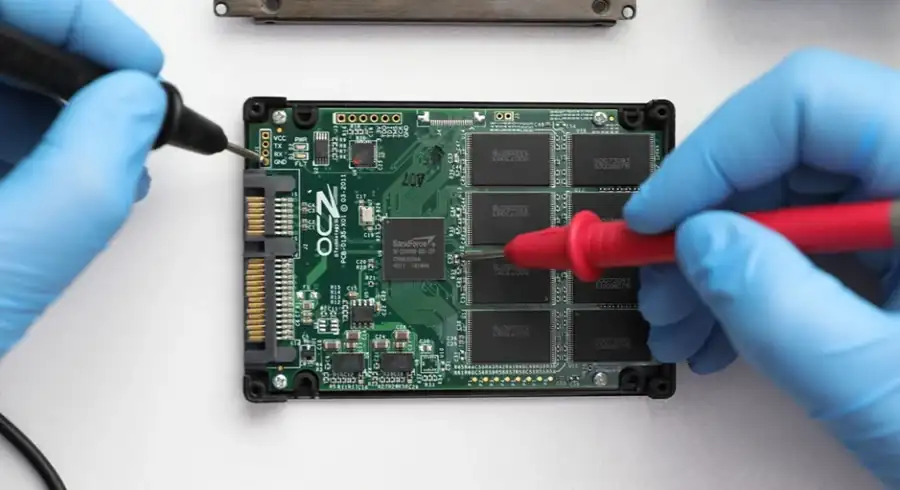
The material intended for IT analysis requires a different procedure than a standard storage device with lost access to data. The first objective is to preserve the chronology, metadata and processes. They may have meaning for the company, firm or department compliance.
The greatest damage often occurs only after the incident
In matters where chronology, metadata and traces of work on the storage device are important, the greatest risk is not the moment of failure itself. The problem begins when the disk is further booted, quickly checked, scanned with repair tools, or copied in a way that changes the source material.
If you suspect that the media may contain material relevant to a business matter, dispute, security incident or further technical analysis, treat it as source material, and not an ordinary disk for immediate rescue. You can read more about the service itself on the website computer media forensics.
First steps after the incident
- Disconnect the media from further work and do not run an operating system on it unless absolutely necessary.
- Write down the symptoms: date, time, who had access, what was run and when the problem occurred.
- Environmental protection: media model, computer, adapter, recorder or server from which the media was removed.
- Don't confuse rescue operations with forensic analysis. The goal is not to quickly "fix"the disk, but to limit change and preserve the value of the material.
What not to do before analysis
What helps most is a brief, factual description of the case: what media is being examined, what questions you want to ask the analysis, what happened after the incident, and whether any "repairs"were made along the way. Thanks to this, you can more quickly determine whether the priority is to secure the image, analyze metadata, recover deleted data or organize the material for the representative or the compliance department.
If the media is unstable, the system asks for repair, SMART errors appear or someone has already run actions on it that change the data structure, subsequent uncontrolled attempts can change the evidence state. Then it is worth stopping activities and switching to a controlled laboratory procedure.
How to prepare material for delivery
- Do not run CHKDSK, First Aid, fsck or automatic file system repairs.
- Do not copy files by trial and error from an unstable storage device.
- Do not install the system "side by side"or "temporarily"to see the contents of the disk.
- Do not run antivirus, cleaners, or applications that modify metadata and indexes.
- Do not disassemble the mechanical storage device and do not attempt to repair the electronics yourself.
When to go to a service instead of continuing on your own
The most helpful is a brief, factual description of the case: what storage device is being examined, what questions you want to ask to analyze what happened after the incident and whether any "repairs"were performed along the way. This allows you to determine more quickly whether the priority is to protect the image, analyze metadata, recover deleted data, or fix material for a full support or a compliance action.
What to write down before contact
- media type: HDD, SSD, USB flash drive, memory card, RAID/NAS, media from a laptop or workstation,
- symptoms: failure to mount, RAW message, reading errors, unstable operation, system failure to boot,
- whether scans, repairs, updates, reinstallations or copy attempts were performed after the incident,
- what answers are most important: whether the files were deleted, whether the scope of changes can be confirmed, or whether data recovery is the only thing that counts.
What questions should be asked before passing the noir
Before contacting us, it is good to determine whether you need an answer to the question of whether the files can be recovered or whether it works with the paperweight and when. In the first option we are closer to data recovery. The second includes an analysis of the user's records, metadata, scope and history of changes. The confusion of these targets leads to chaos and unnecessary actions on the original shoal.
If the case is to potentially go to a lawyer, insurer, HR department or compliance, describe it immediately. Not to scare the formality, but to choose a safer sequence: security, working copy, analysis and only later possible modification procedures.
When to go to the service instead of acting on your own
If the storage device is unstable, the system asks for repairs, appears... if SMART or someone has already started a change in the data structure on it, another would go beyond the controlled process, increasing the risk of losing the trace. Then it is worth to stop and switch to the controlled laboratory path.
FAQ before contact
Can I open the files myself to see what's in them?
If the material is worth proof or analysis, it would be better to minimise it. Each additional run can change metadata, indexes and system tags.
Can simply copying files also be harmful?
Yes, especially when the storage device is unstable or the filesystem is damaged. It would try to copy often generate... next problems and ability to lead to further degradation of matter.
Does this analysis apply to phones?
No. In this area, we are talking about computer tools and IT environments, not about the recovery of phone data.