
Contact and description of symptoms
You briefly describe the type of storage device, the symptoms of the failure, and when the problem started.
Dysk i Spółka • Storage media laboratory • Warsaw
Choose the type of storage device or failure. We will guide you to the right data recovery procedure in our Warsaw laboratory.
Select a diagnosis
If you know what failed, go straight to the matching procedure. If you are not sure, describe the symptoms and we will choose a safe diagnostic procedure.
Warsaw • Białołęka
If you want to move from selecting a service to the next step, below you will find the key logistics: reception point address, working hours and the fastest way to reach the laboratory.
Storage device drop-off point
Jana Kowalczyka 1, unit 8, 2nd floor
03-193 Warsaw, Białołęka
Working hours
Mon-Sat 09:00-18:00
Quick contact
Below we have collected the most common cases with which our customers come to us: from private disks to corporate arrays and databases. Every case starts with a safe diagnosis, so as not to exacerbate the consequences of the crash and reliably assess the chances of data recovery.
Recovery after drops, knocks, speed drops and SMART errors. We work with mechanical and logical failures (RAW, damaged file system, accidental deletion).
Check details → HDD data recoverySSD recovery after controller failure, firmware problems, power errors and cases where TRIM limits standard methods. We support NAND scenarios and advanced diagnostics.
Check details → SSD/NVMe data recoveryRAID array reconstruction and safe virtual assembly. We support corporate environments and NAS devices (Synology, QNAP). Priority: correct disk order and array parameters.
Check details → RAID / NAS data recoveryRecovering photos, videos and files from SD, microSD, CFexpress, XQD cards and camera media after formatting, writing errors or data structure damage.
Check details → Memory card data recoveryHelp with USB flash drives and flash media after RAW errors, controller issues, no detection, damaged connector or accidental formatting.
Check details → USB flash drive data recoveryHelp for companies after failure of servers, RAID/NAS, databases and workstations. We focus on confidentiality, NDA, safe diagnosis and procedures to limit downtime.
Check details → Data recovery for businessesSaving company data: Płatnik, Optima, HR archives and SQL databases. We support failures of disks, servers and NAS environments - with an emphasis on confidentiality and business continuity.
Check details → Database recovery and repairIncident analysis, media verification and attempts to recover data after a ransomware attack. We help reduce losses, restore data from copies and images, and prepare a safe return to work plan.
Check details → Ransomware data recoveryAnalysis of digital storage device and data for the purposes of civil and criminal cases: securing material, verification, report.
Check details → Computer forensicsYou don't know the type of failure? Describe your symptoms and we will help you choose a safe first step before diagnosis.
Check details → Data Recovery — Full PathA safe next step for old desktop drives, archives and legacy systems before repeated power-ons or random USB adapter tests.
Check details → USB external drives and enclosuresSpecial assistance for fast photo/video cards after writing errors, lack of visibility in camera, format or file structure damage.
Check details → CFexpress, XQD and CFast after sessionDiagnostics of NAS devices, SHR/RAID volumes, administrative errors, loss of shares and problems after disk exchange or update.
Check details → NAS Synology, QNAP and WD My CloudA path for accidental formatting, deleted files, lost partitions and situations where stopping new writes is the priority.
Check details → Recovery after formatting or deletionB2B mode for datastore, LUN, virtual machines, production environments and array, where the order of operations and confidentiality are important.
Check details → VMware, Hyper-V and SAN data recovery - B2B modeData recovery from MacBooks affected by liquid damage, startup failure, SSD issues, or APFS, FileVault and T2-related access problems.
Check details → MacBook, APFS, FileVault and T2Recovery of recordings from recorders, surveillance disks, DVR/NVR file systems, overwrites and failures after replacing the media.
Check details → CCTV / DVR / NVR recordingsThe SSD/NVMe requires a different diagnosis than the HDD. If the storage device disappears from the system or shows RAW, do not save the data and go to the SSD/NVMe service.
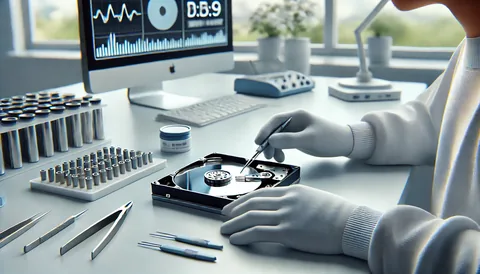
Check details → SSD/NVMe — safe first stepProcedure matters when files are at risk. As a Warsaw storage media laboratory , we work to reduce risk first - whether the case involves an HDD, SSD/NVMe drive or a RAID/NAS array.
Help in choosing a path
On this page you see the full range of laboratory services. The answers below help you quickly choose the right reporting path and safely prepare the storage device for diagnosis.
The most important factors are the symptoms and the type of storage device. If the case concerns an HDD, SSD/NVMe, RAID/NAS, USB flash drive or memory card, go to the matching service page. If you are unsure, describe the symptoms in the form and we will choose the appropriate diagnostic procedure.
No. The storage device model and failure symptom are helpful, but a short first description is enough: not detected, RAW, clicking, deleted files, formatting prompt, RAID/NAS issue or power damage.
Yes. You can deliver the storage device to Jana Kowalczyka 1, unit 8, 2nd floor in Warsaw, Białołęka, or ship it by courier after preparing it safely. If needed, we will provide guidance on how to protect the device before transport.
The laboratory first assesses the storage device and the likely recovery procedure. The final quote depends on the device, the type of failure, the work required and whether laboratory, firmware or logical reconstruction is needed.
Initial lab assessment • NDA/GDPR • Secure imaging
Describe the problem in the form - we will respond with clear information about what can be done and what your options are. We establish the diagnosis, transfer of the storage device and process safety rules before starting work.
Inner consultation Without a commitment"
At Dysk i Spółka, we start with an initial lab assessment and only then propose the safest recovery procedure. The most important rule is simple: we do not "repair" files directly on a damaged storage device. When the case requires it, we work on a copy or image so that the original device is not made worse.
You briefly describe the type of storage device, the symptoms of the failure, and when the problem started.
The storage device goes to the admission point in Warsaw or is sent by courier for diagnosis.
We determine the cause of the problem: electronics, mechanics, firmware, file system, RAID or company environment.
When the storage device requires it, we perform actions on the image to reduce the risk of data deterioration.
We check what files can be recovered and provide clear information before deciding on further work.
After accepting the result, we transfer the data in an agreed, secure manner.
Service selection
This page is a service overview for common data loss scenarios. If you already know the storage device or environment, go straight to the appropriate service. If not, start with the symptom.
Describe the symptoms and we will choose a diagnostic procedure and tell you how to safely prepare the storage device.