
Mechanical hard drive symptoms and strange noises
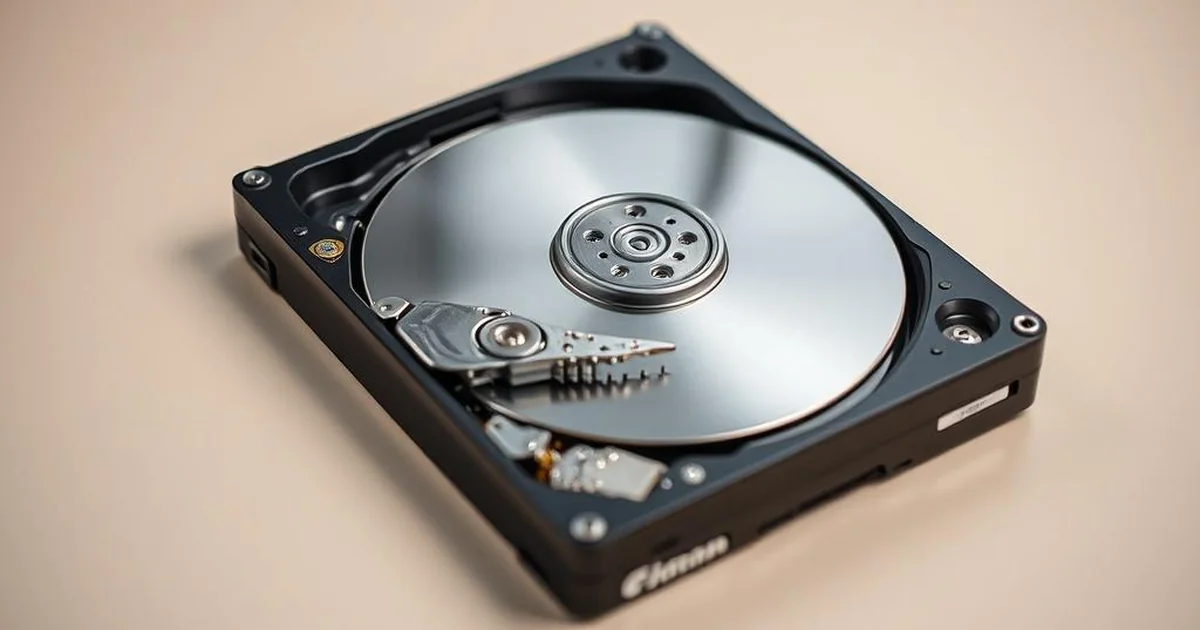
HDD start clicking, squeaking, rubbing or giving a sound that didn't happen before? Do not start the disk with another reboot. First stop the nose and note the symptoms, because the kind of tone helps you to take the safe next step.
This guide is a list of symptoms. If it is only about cyclical tapping at startup, see more text drive clicking on startup. If you need a full path for classic HDD, go to HDD data recovery.
Sound, possible risk and what to do
| Length | Possible risk | Safe next step |
|---|---|---|
| Repeated clicking at startup | head positioning, service-area or startup-area read problem | switch the drive off and do not keep restarting it |
| Beeping or incomplete spin-up | motor, spindle friction or control electronics problem | disconnect power and note when the symptom appears |
| Scraping, grinding or irregular metallic sound | risk of mechanical contact with the platter surface | do not copy files and do not run surface scans |
| Returning knocks while copying | the drive may struggle to read specific areas | stop copying "until it works" and write down the symptoms |
When the sound means you should stop testing
If odgos returns at each startup, the disk disappears from BIOS/UEFI, the system is suspended on reading the catalogues or copying the ends of the CRC errors, further would not usually be diagnostic. This extra pull I don't know.
Do not run CHKDSK, recaps, or long reads to obtain additional confirmation. With mechanical symptoms, it is more important to limit disk operation than the number of tests performed.
What to prepare before diagnosis
Stop when the noise returns at every start, gets louder, appears after a drop, freezes the system, triggers I/O or CRC errors, or makes BIOS/UEFI detection inconsistent. Further attempts rarely add useful information.
You don't need to record ten runs to make sure you get a better sound. One short recording made without further testing may help, but it is more important to know how many times the footer was run after failure. If the sound sounds worse with any speed, stopping the disk is part of the data protection.
Why program reading does not solve the problem of mechanics
The software readout includes only what the storage device is able to reliably give away. When the head can't read the starting areas, the engine has a starting problem or the plate surface is damaged, a long reading without risk control can turn a single symptom into more degradation. In this scenario, we first read the data safely and work on the copy, instead of repairing the file system directly on the original disk.
FAQ: the length of the disc HDD
Does every second mean a mechanical failure?
No. Single lines at startup can be normal work of an older disk. The problem starts when the sound is new, repetitive, bigger than before or appears together with reading, disk disappearance and system suspension.
Does the recording of the sound help?
I can help you if you don't need to run again. It is better to record one short passage at the natural appearance of the symptom than intentionally start the disc several times only to make the better material.
Can the disk be left connected if only a click is quiet?
Not with important data. Clicking means that the disk works and tries to read. If the symptom is new or reproducible, it is safer to disconnect the storage device and describe when the tone appears.
What to prepare before diagnosis...
Write down if the amount appears immediately after the power, after a few minutes of operation or only while copying. Add information about the collapse, power outage, CRC bugs, USB housing and whether the disk is still visible in the system.
Related entries:
What to do if the data is important
Disconnect the footbar, do not undress it at home and do not perform any more starts. If you want to limit the risk, go to description of symptoms of diagnosis or check on which the evaluation of data recovery depends.
Why SMART and BIOS can...not enough
The disc can still be visible in BIOS or in the SMART tool, and at the same time have a problem with the head, surface or stable reading. The mere detection of the model does not mean that you can safely pull the whole surface. With mechanical sounds, it is more important to keep the storage device under load There's one green message in the diagnostic program.
If a second appears only when copying a particular folder, this may mean a problem with the area where you lie the necessary data. Repeating the same would not usually add knowledge; more effort It can make the surface worse.
How to describe the length without further tests
- whether the amount appears immediately after startup, after a few minutes or only when copying,
- whether it is squeaking, tapping, squealing, friction, repetitive start or sudden stop,
- whether there had been a fall, a flood, a surge or work in a USB housing,
- whether the system still sees the model and capacity of the disk.
One short recording made with a natural symptom will suffice. It is not worth running the disk several times just to make it better to record a sound.
When the sound changes the priority of action
If the disk sounds different than usual, but still copies a part of the data, easy to live, the storage device will maintain a stable reading for a while. This is the most treacherous moment. Much can mean that the storage device has no longer a stable working margin, and any more transfer increases the risk of stopping reading.
With valid data, the priority is not to check the entire disk, but to limit the number of starts and readings. Therefore, instead of the surface test, you choose the description of the symptom, disconnect the storage device and decide whether the further reading is to be conducted under controlled conditions.
If it is difficult to describe a lot of words, it helps compare it to a known rhythm: squeaking, repetitive start, friction, squealing or sudden stop. It's not about the perfect... name the faults, only the information when the symptom appears and if it is accompanied by a loss of reading.