
Drive Clicking on Startup – What Does It Mean and When Should You Stop Immediately?
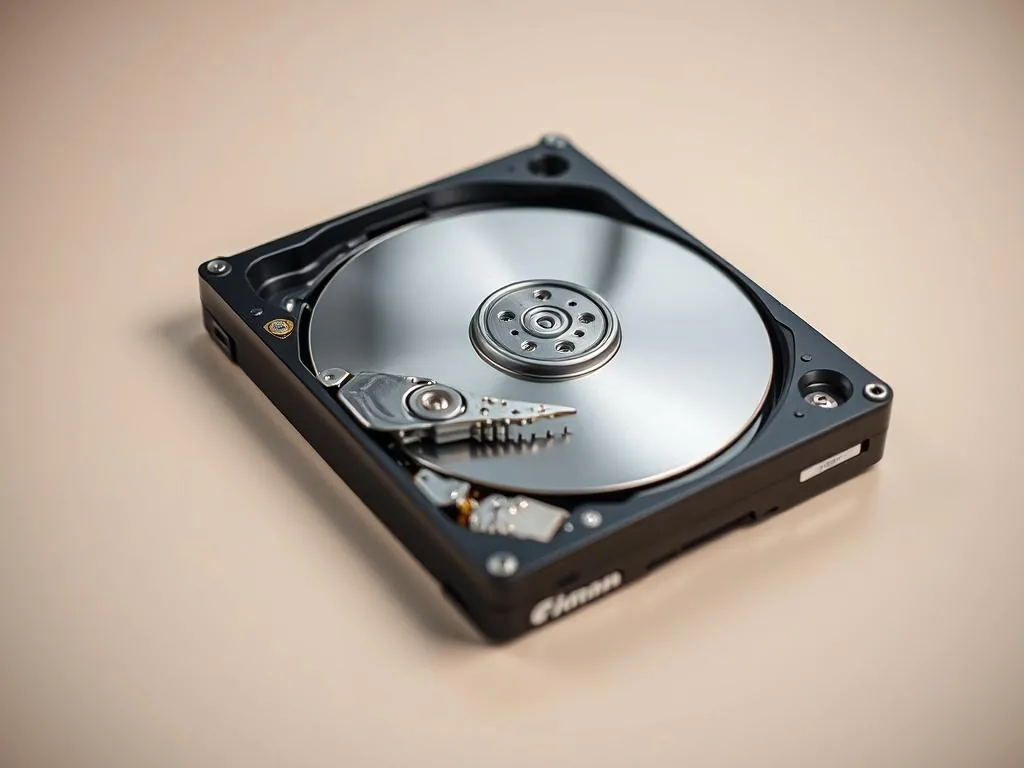
The disc taps at startup, clicks cyclically or suspends the computer even before running the system? Do not restart it just to confirm the symptom. With such a signal, it is most important to disconnect the storage device and limit subsequent readings, because this may be a failure of the HDD mechanics, rather than a problem for system tools.
A hard drive that clicks the moment power is applied is not asking for another reboot. In a Warsaw office, home PC or USB enclosure, repeated startup clicks usually mean the drive cannot initialise or position its heads reliably. data recovery from USB external disks.
What to do immediately
- turn off your computer or USB enclosure,
- do not restart the disk just to confirm the symptom,
- don't copy data to the grid and don't run software readings,
- Do not open the hard drive at home.
- if the data is valid, go to HDD data recovery either describe the symptoms of a tapping disk.
Why this is not a normal software problem
The momentum appearing at the start usually means that the storage device has a problem with the work of mechanics, positioning head, starting or reading the areas needed for the start. System tool will not solve The problem is, if the disk is unable to read data stably.
Disconnect the drive from normal use. If it is external, unplug it and do not keep switching cables just to hear the sound again. If it is internal, stop boot attempts from that disk and avoid repair media that will scan it automatically.
What not to do with a clicking HDD
- Do not shake the drive or tap the enclosure. Contact the laboratory.
- Do not run long surface scans, remap tools or CHKDSK.
- Do not keep copying "until it works" if folders open slowly or freeze.
- Do not swap PCB electronics unless the case was properly diagnosed.
- do not exchange electronics without confirming the cause.
How this differs from a general HDD guide
If the disk slows down, shows CRC errors or connects during copying, check a wider guide first steps with damaged HDD. If you hear different voices and want to compare them, see HDD mechanical failure frequency list.
This article is more important: talk about a situation in which a second appears already at the start and suggests that further start-up is risky.
What to prepare for diagnosis
Taping at startup usually means that the disk attempts to execute the start sequence, but can not be stably readable. The cause can be heads, service areas, positioning problems, power supply or plate surface. From the client's point of view, the most important conclusion is simple: if the mechanics are not working stable, the software reading does not yet have a safe starting point.
This article covers one narrow symptom: clicking during startup. If the drive is silent but slow, RAW, disconnecting or throwing CRC errors, compare the wider guides about
Promise limit at the knock-on HDD
Startup clicking is higher risk because it can appear before any stable read session. In many cases, the safest route is controlled diagnostics before imaging, not a home scan.
What to prepare for diagnosis
A short, factual note helps: model, capacity, internal/external connection, whether the drive is inside a USB enclosure, whether it was dropped, whether BIOS/UEFI detects it and what data matters most.
FAQ: disc taps at startup
Does shaking or hitting the enclosure make sense?
No. These old myths can worsen the state of mechanics and surfaces. If the drive clicks, reduce its operating time rather than trying to force it back into operation. Contact the laboratory.
Will replacing electronics from the second disk help?
Do not perform this exchange without first diagnosis. In many disks, electronics is connected with the adaptation data of a particular copy. Exchange without identification of PCBs and adaptive data may not solve the problem and experience new diagnostic risks.
Is it worth restarting the disk to copy all the contents?
The speedy copying of all the contents of the unstable storage device can lead to the suspension of readings, subsequent errors and restarts. Safer to set data priorities and conduct a hardware-controlled reading.
Start with a safe intake
If taping returns at each start, do not follow up. Describe the failure of the tapping disk or check, on which the quote of data recovery depends.