
MacBook after flooding or failure to start - when is data recovery realistic?
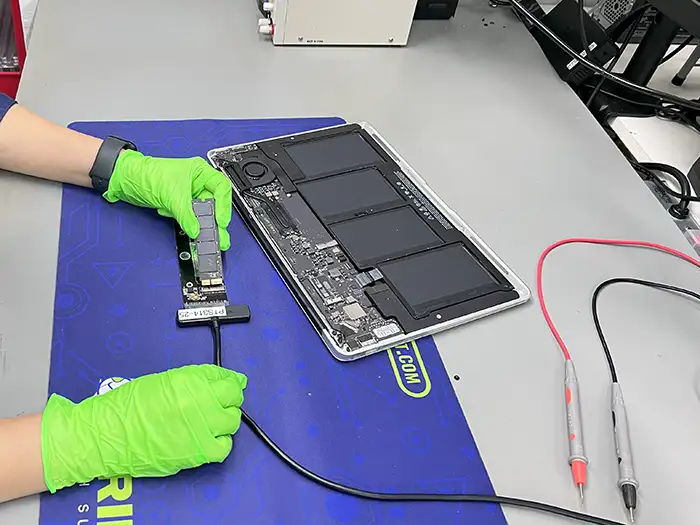
MacBook after flooding, short circuit or sudden no take-off requires a decision other than the computer's standard service procedure. If the priority is data, first you need to protect the media, power and hardware context, and then think about whether the laptop will return to everyday work.
Failure to start does not automatically mean data loss
After a flood, short circuit, fall or simply when the MacBook suddenly fails to start, the user usually wants to "set up the equipment"as quickly as possible. However, if data is your priority, it is more important than repairing your laptop to determine whether and how it is possible to safely access the media and data structures. In some models, the result depends more on the condition of the motherboard and Apple security than on the drive itself.
If the issue is related to configuration, encryption, and pre-diagnosis, please complete this post with a guide MacBook with FileVault, APFS and T2 - what not to do. The full service path can be found on the website MacBook data recovery.
What usually predicts and what increases the risk
- The prognosis is better: quick disconnection of the device after flooding, no further attempts to start, retaining the complete equipment for diagnosis.
- Increases the risk of: repeatedly connecting the charger, drying it using "home methods", trying to start it after each cleaning and separating the disc repair from the data recovery plan.
Why the entire hardware context matters in a MacBook
In newer models, access to data may depend on the logical and hardware state of the device. This means that simply replacing parts or "test-running"does not always bring recovery closer. Often, the safest option is to first stabilize the hardware enough to perform controlled diagnostics and imaging, and only then think about the final repair of the computer.
What not to do after flooding or failure to start
After contact with the fluid, the problem does not need to be visible immediately. Moisture, coffee or sweet drink residue, corrosion and unstable power supply can affect the motherboard, connectors, start-up systems and memory access. If the computer was later run several times, it is important not only to flood itself, but also to the history of subsequent starts after the incident.
In the absence of a start without flooding the script can also be different: power failure, system failure, problem with APFS, update error or hardware failure. For data, the most important is to determine whether the device can be safely run for controlled reading, whether each subsequent start increases the risk.
Should I deliver the entire computer or just the media?
- do not execute subsequent control starts without a data protection plan,
- do not disassemble the device without a data security plan,
- do not order a quick repair with the goal of "getting it started"if data is more important than hardware,
- Don't assume the problem is just a battery issue if you've had disk or system errors before.
Do you deliver the entire computer or the storage device itself?
In the case of MacBooks, it is usually safer to pass whole deviceNot the media itself. This allows to assess the relationship between the main board, power, Apple security and the state of the SSD itself. Removing the storage device from the hardware context can narrow down possible diagnostic pathways.
The Limit of Promise Before Diagnosis
Before checking the device it is impossible to honestly promise recovery, especially when encrypting, flooding and models in which access to data depends on the state of the entire computer. A safe first step can be indicated: do not dry with hot air, do not force the start, do not reinstall the system and describe exactly what happened after the accident.
In the report it is worth to include the MacBook model, year, symptoms after connection of the power supply, status of FileVault, last update of macOS and whether the equipment was already on the service. Such a description allows you to assess more quickly whether the problem is closer to recovery of data from MacBook, analysis of APFS or after flooding work.
FAQ before contact
Does a flooded MacBook always mean data loss?
No. Much depends on the time of reaction, the extent of flooding and whether the device was further activated after the incident.
Does the system not booting mean that SSD is dead?
Not always. The problem may lie on the side of the drive, power supply, start logic or data structure, not just the storage device itself.
Do you repair the laptop first and then recover the data?
That's not the priority. It is first assessed how safe data are to be obtained and then thought of the further fate of the device as usable equipment.