
MacBook with FileVault, APFS and T2 - what not to do before diagnosis
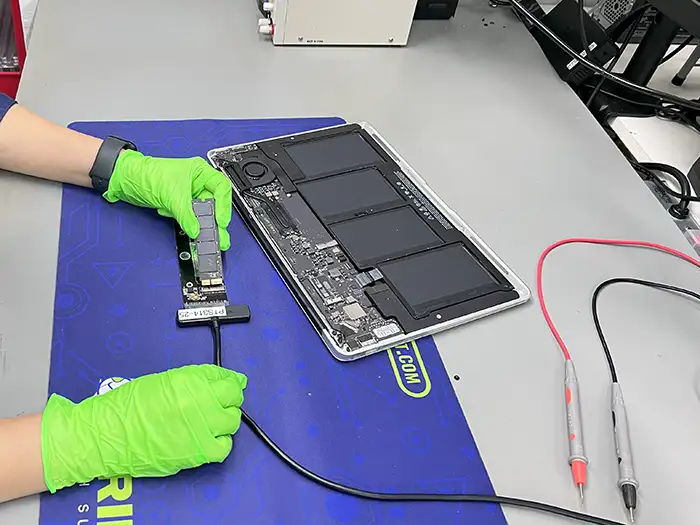
FileVault, APFS and T2 turn the disk incident into a data access problem. If MacBook does not start stable, do not start with resets and First Aid procedures that can change volume status or hinder later diagnosis.
With FileVault, APFS and T2 automatic First Aid procedure can change volume structure
After a MacBook boot error, APFS hang or disk detection problem, it is often tempting to immediately use First Aid, Internet Recovery, macOS reinstallation or resets. However, when data counts, such moves can be risky. They matter in the Apple environment APFS, FileVault, T2 and model specific dependency, and not every "standard"user step is recovery neutral.
If you need a strictly service path, go to MacBook data recovery. This post is intended to help stop the most common errors before diagnosis.
What not to do when data is more important than a quick system recovery
- Don't run First Aid without working copy and volume status assessment.
- Do not reinstall macOS on the same device, if you are not sure that the problem is not with the APFS structure or the media itself.
- Do not delete or create new volumes, even if the system recovery tool suggests it.
- Do not reset security settings unnecessarily, if you don't know how they are related to data access in a given model.
- Don't try to log in multiple times, when the issue is with encryption and authentication.
Why FileVault, APFS and T2 are game changers
APFS is not only the "Apple file system", but also containers, snapshots and logic that can behave differently than classic Windows volumes. FileVault means that data recovery requires proper authentication, not "encryption bypass". On models with T2 or newer Apple architecture, some scenarios depend on whether the device and its components remain in a state that allows for secure reading.
Password, keys and user context
If your MacBook doesn't boot up, doesn't show the volume in Disk Utility, has flood symptoms, or the device loses disk detection, further attempts only increase the risk. Then it is better to move on to controlled diagnostics.
The lack of this information does not always close the case, but may limit the work paths. In turn, accidental reset, creating new accounts or installing the system on the existing volume of APFS can add new changes to the data structure. The fewer actions after the accident, the easier it is to assess where the problem lies.
How to Prepare for Diagnosis
- write down the exact MacBook model and the moment when the problem occurred,
- note whether the device was flooded, dropped, updated or lost power,
- prepare information whether FileVault was enabled and whether you have credentials,
- keep further start attempts to a minimum if the hardware is behaving unstable.
When it's not worth working without a diagnostic
Not always. The system recovery mechanism itself does not solve data structure problems and may encourage actions that are not recovery neutral.
What's the lab checking first?
NO. Sometimes the problem concerns the APFS logic, power supply, motherboard or system behavior after an update.
There's no room for promises before diagnosis. There are good decisions: do not run repair procedures without recognition, delete volumes, create new installations, and do not separate the storage device from the hardware context if the model requires operation throughout the device.
FAQ before contact
Does having your account password or FileVault really matter?
Yeah. In many scenarios this is a key element of safe access to data, not a formal detail.
Is Internet Recovery safe when the drive won't boot?
Not always. The system recovery mechanism itself does not solve the problems of the data structure and may induce actions that are not neutral for recovery.
Does every MacBook problem mean that the SSD is damaged?
No. Sometimes the problem concerns the logic of APFS, power supply, motherboard or system behaviour after the upgrade.