
Damaged HDD prepared for diagnosis in Warsaw
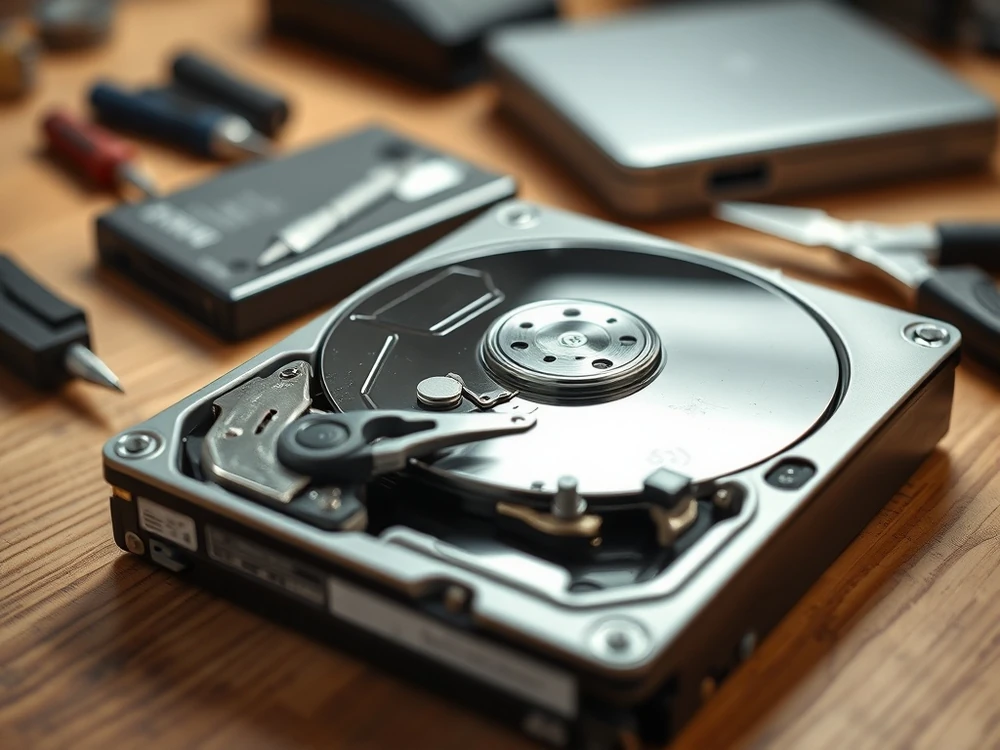
The damaged HDD requires two decisions: what not to do and when to stop testing on the original storage device. This article is a comprehensive checklist before diagnosis — does not replace a guide on specific symptoms such as tapping, strange gestures or CRC errors.
If the disk clicks, slows down or disappears from the system, stop the tests and first secure the symptoms: the model, the sounds and the last actions, and whether the drive was dropped. Then choose the right path HDD data recovery or, when the disk is in a portable housing, USB external drives.
First divide the symptoms
- Mechanical: tapping, clicking, squealing, no startup, disappearing from BIOS/UEFI.
- Reading: CRC, very slow copying, hanging folders.
- Logical: RAW, format message, corrupt filesystem.
- External: USB connection, problem with cable, port, housing or power supply.
This initial classification helps avoid a bug involving the use of one diagnostic method for different types of failure.
What not to do before diagnosis
- Don't run the disk multiple times if it gets worse.
- Do not use CHKDSK on a storage device that may have physical damage.
- Do not format, initialize and do not create a new partition.
- Do not install recovery software on the same drive from which the data disappeared.
- Do not clean, open, freeze or shake the disk.
When to stop testing on the original storage device
Stop, if the disc taps, clicks, disappears from the system, shows 0 B, suspends the computer or any copying attempt will be done. This is where the next tests stop. be a diagnosis of the problem and begin to cut the storage device.
Logical fault or physical HDD damage?
The lab doesn't start with accidental interference in the sheath. First you need to determine whether the disk is suitable for safe reading, whether it needs stability, whether the problem is logical, mechanical or related to electronics. It is only after such separation that it makes sense to decide on a work copy, a work sector after the sector, or a further analysis of the file system.
This is important because two disks with the same message in Windows can require a different approach. One will be damaged Partition structure, second unstable reading, and third mechanical symptom hidden behind the housing... USB. The good diagnosis is to reduce the number of samples on the original storage device rather than prove that each case can be treated with one scheme.
What can be promised before diagnosis and what not
Before checking the test pad, you can honestly promise a safe sequence of actions: stopping risky trials, assessing symptoms and information which data is a priority. On the other hand, it is not possible to reliably promise the result, the percentage of recovery and the final price only on the basis of a message from the system. Therefore, the description of the symptoms is better than another disk reboot.
If the HDD needs diagnosis
Can I reconnect the disk only for the test?
Physical symptoms are more serious: clicking, grinding, no spin, disappearing detection, unstable capacity, overheating or repeated freezes during reading. In those cases, do not scan the original drive for hours.
Will the USB adapter help if the disk does not work in the computer?
The adapter can only help with a simple problem with the computer or pocket. With mechanical symptoms, CRC errors or loss of detection, interlocking between adapters usually does not give new knowledge, and it works as a tool.
What's more important: a complete description of the failure or a quick dispatch?
The best thing is to combine both things: a brief description of the model, symptoms and earlier attempts, and then the safe preparation of the storage device. You don't need to write history on several pages, but it's worth reporting the facts that change... The exact diagnosis.
What to prepare before giving up the disk
Write down a model of nomen, capacity, symptoms, moment of failure, earlier requests and a list of the most important data to recover. Add whether the disk is working on a laptop, desktop computer, USB enclosure or RAID array.
If you want to move immediately to the safe next step, choose one of the lower sections.
How to separate a logical symptom from a physical symptom
RAW message, disappearing partition or request for formatting can be... look like a problem of the file system, but not always are. If they also appear... taps, computer suspension, very slow reading, CRC bugs or disk disappears during copying, you have to take into account the physical failure.... Then repairing the structure of the files on the original storage device is too risky.
With purely logical symptoms, first it is important to stop recording and work on a copy. With physical symptoms, the priority is the safe reading of the storage device, often the sector after sector, with bypassing places that worsen stability. This is different paths, therefore one universal program "to recover everything"is not a good plan.
First 10 minutes after the HDD failure
- Switch the disc if the symptom is mechanical or the computer is suspended when reading.
- Save the exact message, tone, moment of failure and last action.
- Do not run CHKDSK, formatting, initializing or repair partitions.
- Determine which data are really priority: user folder, database, photos, designs, company documents.
So prepared description shortens diagnosis and reduces pressure for random tests.
When the very description of symptoms is sufficient
If the disc taps, suspends the computer, disappears from the system or shows errors when copying, you do not need to confirm the symptom five times. For a technician, it is enough to inform when the problem appears and what was done before. The next start of the storage device usually does not give new knowledge, and may worsen the state of mechanics.
The best description can be found in several sentences: model, symptom, moment of failure, earlier requests and most important data. This is more practical than screenshots from many diagnostic programs made on disks that do not work stable.
If the disk contains company data, photos from the only copy or documents needed for work, treat it as a number of data rather than repair equipment. Fixed disk without files does not solve the problem. First, it counts to secure access to data.