
Memory card or USB drive not working — first steps before recovery
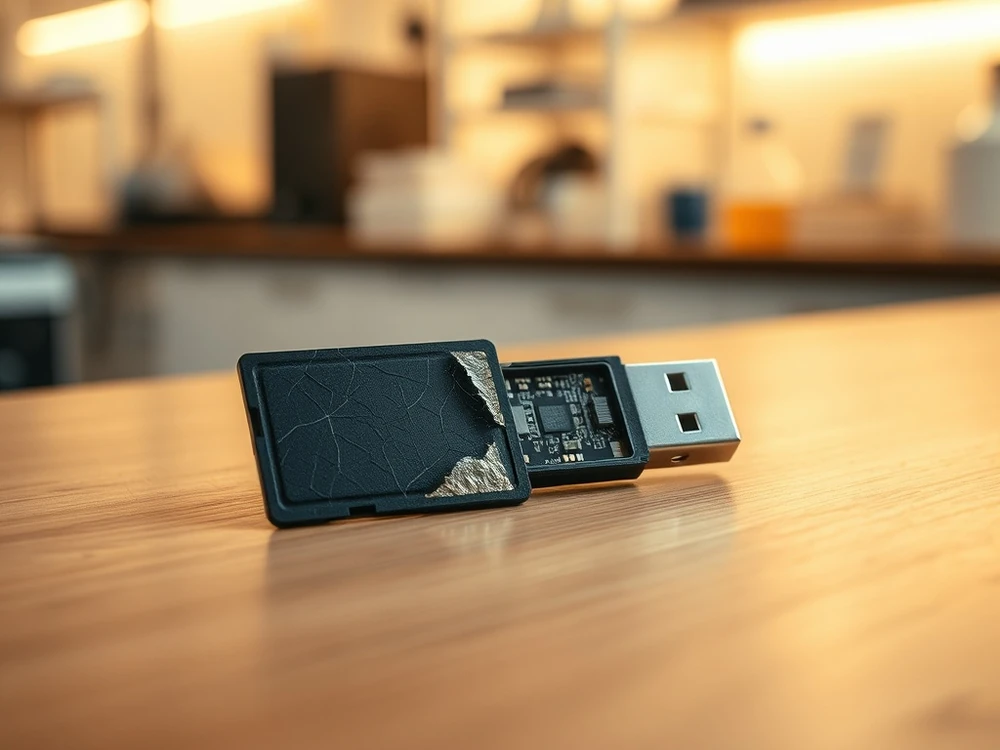
SD, microSD or USB asks to format, disappears or shows 0 B
Memory card or USB flash drive stopped working and the system offers a format? Most important: do not confirm formatting and do not run random repairs on the original. In many cases the data are still on the storage device, and it is crucial to keep further records and a safe diagnosis. See service: retrieve memory card and USB flash drive data.
The files may still exist even when the directory looks empty. The danger is that each new write can reuse blocks that still contain the only copy of photos, video, documents or project material.
The first step with a memory card or USB drive
- interrupt further recordings and do not use the media for further photos or files,
- Do not run CHKDSK, Disk Utility repair or recovery scans on the original if it is unstable.
- Do not put recovered files onto the same card or USB drive.
- Write down the last normal use: camera model, computer, transfer app and error message.
If there is no visible damage and the device is not hot, one controlled test with a reliable reader or port is reasonable. If the same prompt returns, capacity is wrong, folders open slowly, or the device appears and disappears, stop testing.
The most common problems: why did the storage device stop working?
Logical failures often follow unsafe removal, interrupted recording, accidental deletion or file-system damage. Physical failures include cracked SD cards, bent USB plugs, broken solder joints, liquid damage, overheating, controller failure and degraded NAND memory.
-
Physical damage (most risky):
Visible: Broken housing, curved USB connector, cracked SD card.
Invisible: damage to the controller or NAND memory bones after a fall, flooding or surge (e.g. from the charger).
Symptoms: The storage device is not detected, it is hot, there are traces of burning. -
Logical defects (common and usually subject to recording checks):
File System Error: Caused by dangerous removal (takeout without "pulling out"), sudden power loss or virus. The system cannot read the directory structure.
Symptoms: Messages "Please insert disk", "the device requires formatting", visible empty folders. - Incidents by user:
Random formatting of the media.
Manual file removal.
In such cases, data often stays on the storage device until new files overwrite it.
What to do first, so as not to make the vehicle worse
The first moves should limit the records to zero. In situations "please format" CFexpress, XQD and CFast data recovery allows you to work in read mode and reduces the risk of overwriting.
- Disconnect the storage device immediately. Each subsequent attempt to connect, especially formatting, increases the risk of overwriting data.
- If you suspect physical damage, do not reconnect the vehicle. You risk short circuit and permanent damage to electronics. Put the storage device in the safe box.
- If this looks like a logical mistake, don't work on the original. Safe diagnostic starts with a controlled reading or working copy. If you are not sure, complete the tests and describe the symptoms instead of scanning the storage device with subsequent programs.
- Do not install data recovery programs on the same system storage device. Use another disk on your computer.
- Mark the storage device and save the circumstances of the failure (e.g. "flashed with coffee", "taken out during copying"). It's valuable information for a specialist.
When to choose a professional laboratory
Stop testing and describe the media when:
- cracked housing, bent USB connector, broken SD card, failed controller or damaged NAND after a drop, liquid or power surge. Symptoms include no detection, no LED, heat or repeated disconnects.
- When connected, it does not react, heats up or disappears after a few seconds,
- The system offers a format, shows 0 B or RAW,
- on the storage device is the only material from the session, departure, customer design or company documents.
When media is stable enough, a laboratory engineer can create a read-only sector image before file extraction and recover files from that copy. When it is unstable, visibly damaged or heating, repeated scans at home can reduce the number of readable blocks.
Emergency plan summary
- Prevention: Regularly copy data from portable media to a computer or cloud. Use the "extract"function.
- Response: In case of failure — stop. Assess whether the damage is physical or logical.
- Action: With logical errors, block further entries; with physical damage, do not reconnect it.
- Decision: If the data is important and you are not sure, consulting a specialist is safer than further tests on the source storage device.
In the case of memory cards and flash drives, it is important to restrict subsequent entries. The faster you stop uncontrollable reading attempts, the easier it is to preserve the material needed for safe analysis.
Temporary USB glitch or real flash failure?
Choose laboratory diagnosis when the card or USB drive is the only copy, when the files are client work, when the connector is bent, when the device shows no media or when every reader reports a different capacity. Start with the memory-card and USB-drive recovery service.
It is good practice to check the storage device in one stable reader and complete the tests immediately after confirmation of the symptom. If the problem concerns a camera card or camera, it is worth putting it in a separate case and not taking any more pictures. When the situation is more serious, the safer way is retrieve memory card and USB flash drive data than subsequent modifications outside the controlled environment.
When experiments no longer make sense
If a card or USB flash drive stops reacting after a few seconds, they have a broken connector or a RAW message appears, it is better to stop immediately. This is especially important when the only pictures, video or company files are on the media. Formatting, file system procedures and multiple scanning can result in the loss of part of the data structure.
Related guides are also helpful in such situations:
What if it is the only card or USB drive with important data?
Stop using the device, prevent writes, keep it physically safe and prepare the symptom history. If it is a memory card from a shoot, do not reinsert it into the camera to see whether it starts working again.