
When you lose data - the worst possible time to experiment
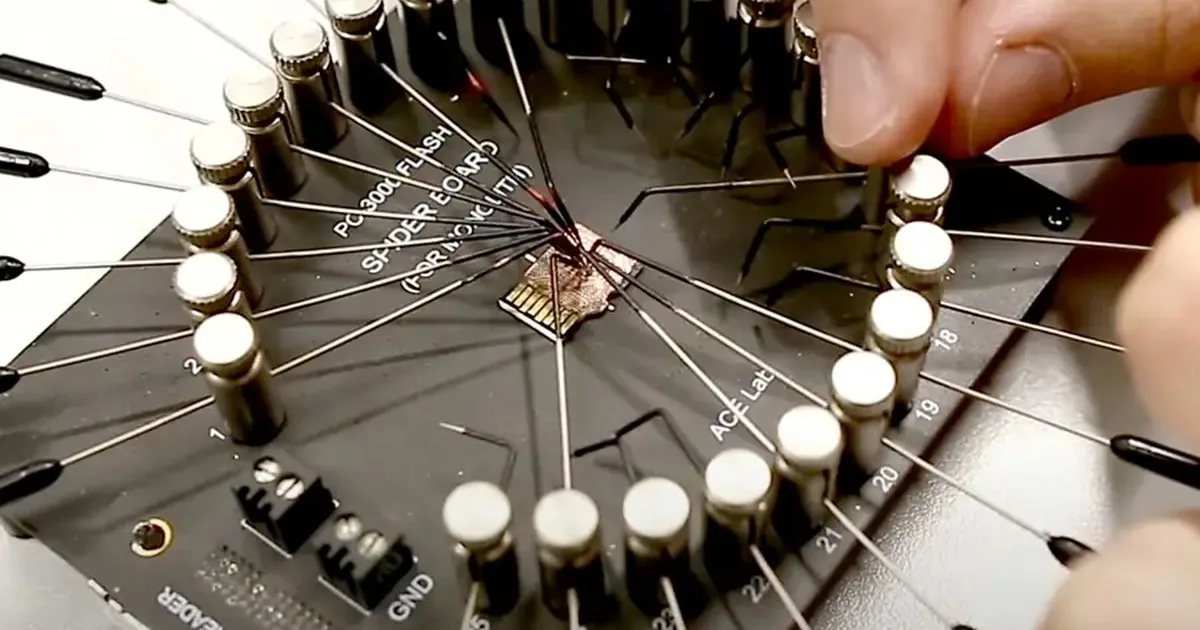
When a hard drive starts clicking, an SSD disappears from the system or a RAID array loses consistency, the most important move is to stop random attempts. Stress often leads to formatting, CHKDSK, installing recovery tools on the same device or forcing another rebuild, and those actions may reduce recovery options.
The right response to data loss is not guesswork. It starts with a few calm checks that protect the current state of the device. On this page we explain what to do when a drive starts behaving badly, how to handle SSD and RAID symptoms, and when it is safer to move the case to a data recovery lab. With these symptoms, controlled drive diagnosticsis usually safer than live tests on the failing device.
When a drive starts clicking or knocking
Clicking, cyclical tapping or no detection in the system is a signal to complete reading attempts. Disable the computer, don't run scans and copy files until you do. With mechanical symptoms, it is important to reduce the number of vehicle launches.
What to check before handing the drive to a service
If you hear regular clicking, knocking or repeated spin-up attempts from a hard drive, stop working with the device immediately. The disk may be struggling with heads, spindle, platter surface or service-area reads. Do not run programs from it and do not keep trying to open the same files.
SSD and RAID problems need extra caution
With SSD/NVMe the problem is controller, system software, encryption or TRIM, so subsequent scans can reduce available material. With the RAID, it is particularly risky to rebuild the RAID without finding which disk really failed and in what order the media worked.
The decision-making procedure is clear: if the symptoms return after one careful attempt and the data are important, keep further action on the original. From that moment on, the description of symptoms is more valuable than the subsequent software running on the source storage device.
When to stop further attempts and secure the device immediately
Also write down what happened recently: a fall, power cut, slow copying, CRC errors, a Windows formatting prompt, deleted files, a failed clone attempt or a backup that never completed. If the drive has bad sectors or behaves unstably, disconnect it and do not run further scans on the original device.
To order further activities, go to related guides and contact the laboratory:
If a RAID array is marked as "degraded", do not rush into a rebuild. Check the controller or NAS logs, identify which disks are members of the array and record the order, but do not reinitialise the array or change the disk order on your own.
What to do instead of more experiments
If these checks do not clarify the case, involve a specialist. SSD, NVMe and RAID failures often require tools that can handle firmware, controller, bad-sector and metadata problems without writing to the source device. In a degraded RAID, reconstruction may involve rebuilding the configuration virtually before any file copy is attempted. CRC error when copying files or the system shows a message that disk requires formatting, more important than the next test is to secure the condition of the vehicle. In such situations, it is better to proceed immediately to an orderly diagnosis than to add further risks.
When to move straight to diagnosis
If you see symptoms similar to those described in the article common errors limiting the chances of recovery or the storage device hangs up during operation, report the case by contact with laboratory. Do not start with the decision type format or CHKDSK. This makes it easier to distinguish logic from physical failure and not make things worse in the first minutes after data loss.
How to turn chaos after data loss into a calmer next move
The most risky moment for the next action on the original is usually the one where data is needed “for already” and the symptoms of the failure are becoming less predictable. Instead of adding further tests, you better go to laboratory contact, collect symptoms in one description and check As usual, data recovery quote. Such a move organises the decision and reduces the risk of hasty action.
If the problem concerns a drive drive that disappears from the system, slows down or requires formatting, a good next step is also the page HDD data recovery. This allows you to move faster from “what to do” to an orderly diagnosis.
Instead of another test, organise the next step
When time pressure rises and symptoms become chaotic, the best move is not another tool. Collect the symptoms and use one organised contact route, so stress does not push you into one more attempt that worsens the device.
- Open the fault description form and describe the symptoms in one message.
- See application pageif you want to prepare device and data details immediately.
- Check how data recovery pricing is usually estimated before another attempt.